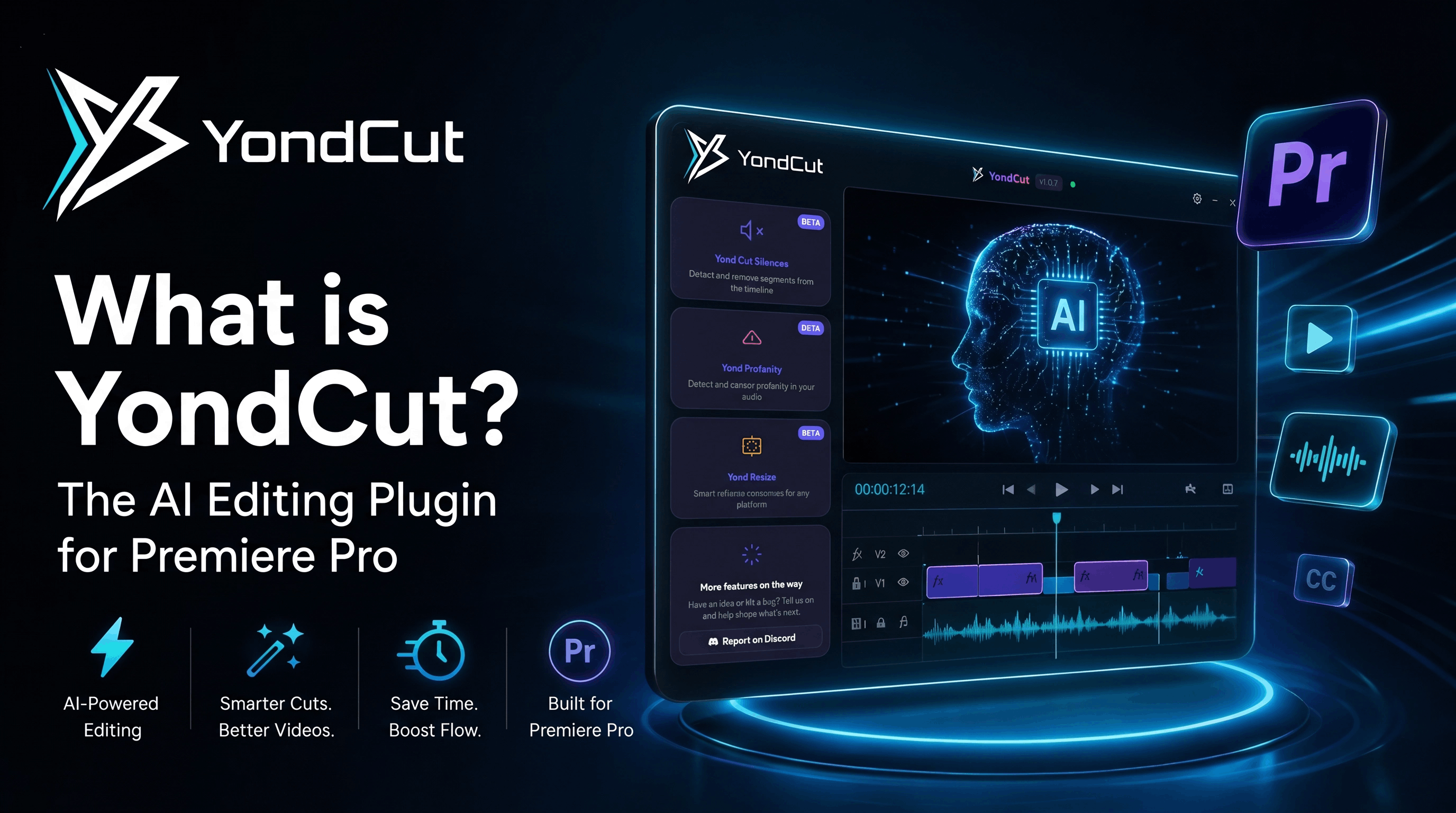
What is YondCut? The AI Editing Plugin for Premiere Pro
YondCut is an AI-powered plugin that automates the boring parts of editing in Adobe Premiere Pro — silence removal, transcription, captions, profanity censoring, and smart reframing. Here's a full breakdown of what it does and who it's for.
If you've ever spent two hours of your Saturday scrubbing through a podcast timeline looking for awkward silences, or manually retiming a captions file that was off by half a second, YondCut is built for you.
YondCut is a creator-focused AI editing plugin for Adobe Premiere Pro that automates the repetitive parts of post-production. It runs as a panel inside Premiere via the Extensions menu, talks to your active sequence, and applies edits directly on your timeline — no exporting, no round-tripping, no manual cleanup. The transcription model runs locally on your machine, so your audio never leaves your computer.
This guide explains what YondCut does, what each feature actually replaces in your workflow, who benefits the most, and how it compares to the alternatives.
YondCut in one sentence
YondCut takes the five most time-consuming, repetitive editing tasks — finding silence, transcribing audio, generating styled subtitles, censoring profanity, and reframing for vertical video — and turns each of them into a one-click operation on your active sequence.
What's inside YondCut
The product is organized into five features (all unified under the Yond * naming scheme):
1. Yond Cut Silences
Detect silent gaps across your timeline and razor-cut them out in one click. Works on multi-clip, multi-track sequences and nested sequences at any depth — which is exactly where competitors traditionally fall over. You can set silence threshold (dB), minimum silence length, edge padding, and optional J-cuts / L-cuts. There's a real-time timeline preview before you commit, and a one-click undo if you change your mind.
If you're a podcast or interview editor, this is the headline feature. We've watched users cut a 90-minute timeline down to its useful 38 minutes in under a minute of real time.
→ Try the free timecode converter to understand how silence boundaries map to your project's frame rate.
2. Yond Whisper
Local AI transcription powered by whisper.cpp. Drops a per-line transcript onto a panel inside Premiere with timestamps, supports 50+ languages, and exports SRT or VTT. Because the model runs on your machine, there are no per-minute fees, no upload limits, and your audio doesn't leave your computer.
Real numbers we've measured on a typical mid-range laptop:
| Video length | Time to transcribe (Fast Mode off) | Time with Fast Mode on |
|---|---|---|
| 10 minutes | ~45 seconds | ~28 seconds |
| 1 hour | ~4–5 minutes | ~3 minutes |
| 3 hours | ~12–15 minutes | ~8–10 minutes |
Fast Mode skips obvious silent regions before transcription. It's off by default to favor accuracy, but on for podcasts / interviews it cuts another 30–50%.
3. Yond Captions
The newest feature: generate animated, styled subtitles directly onto your timeline. It transcribes your timeline audio, chunks the long lines into short, punchy on-screen phrases (the "viral subtitle" look that goes well on TikTok and Shorts), and instances a Motion Graphics Template (MOGRT) per line with Position & Size controls. You get a draggable in-app preview that mirrors your sequence aspect ratio, a Live Preview in Premiere itself, and a one-click Revert that removes every placed caption clip.
→ Pair it with the free SRT to VTT converter if you also need a captions file for a web player.
4. Yond Profanity
Detects profanity in your audio and mutes or bleeps it directly on the timeline. The word list is editable per project. The detector runs from the same local Whisper transcript Yond Whisper produces, so you only pay the transcription time once. Particularly handy for clients with brand-safe distribution requirements (children's content, corporate, retail in-store playback).
5. Yond Resize
Auto-reframes your existing 16:9 sequence into 9:16, 1:1, or 4:5 — the formats TikTok, Reels, Shorts, and Instagram demand — using Premiere's Sensei AI for subject tracking. The cropped frame follows the speaker around when they move, so your interview cut doesn't end up with the host's ear in the center of a vertical TikTok.
→ Use our free aspect ratio calculator to plan the math before reframing.
Who YondCut is built for
YondCut is built for editors who care about being fast without sacrificing control. The features rank in usefulness depending on what you cut:
| Editor type | Most valuable features |
|---|---|
| Podcast editor | Yond Cut Silences, Yond Whisper, Yond Profanity |
| YouTube creator | Yond Captions, Yond Whisper, Yond Resize |
| Short-form / TikTok editor | Yond Captions, Yond Resize, Yond Cut Silences |
| Corporate / brand editor | Yond Profanity, Yond Whisper, Yond Captions |
| Documentary editor | Yond Whisper (searchable transcripts), Yond Cut Silences |
If you have one or more of those patterns in your day, you'll notice the time savings inside your first hour with the plugin.
What YondCut doesn't do
We try to be honest about scope. YondCut is not a color grading suite, a sound-design plugin, an AI generation tool, or a Premiere replacement. It does five things and tries to do them well. If you want auto color grading or AI b-roll generation, you'll need another plugin in your stack.
YondCut also requires Adobe Premiere Pro 2022 or later. We deliberately don't support DaVinci Resolve or Final Cut at the moment — supporting one host properly is much better than supporting three poorly.
How YondCut compares to the alternatives
The honest take, from someone who's used all of them:
- AutoCut — closest peer. Both products do silence removal and captions; YondCut focuses harder on professional Premiere integration and local-first AI, AutoCut on a polished social-style caption library.
- FireCut — similar product space, also Premiere-focused. We use PNG burn-in for styled captions, FireCut does too (it's the industry-standard workaround for Adobe deprecating MOGRT scripting on Premiere 25.x).
- Submagic / Captions — cloud-first products. They upload your media and run AI server-side, then you re-import. We picked the opposite trade-off: local, private, no cloud fees.
- Built-in Premiere tools — Premiere has had Auto Caption and Sensei reframe for a few years. The difference: YondCut is operations on your existing edit, not a separate panel with separate clips. Everything lands directly on your timeline.
For a full side-by-side, see our AutoCut vs YondCut and FireCut vs YondCut comparisons (coming soon).
How much does YondCut cost?
YondCut runs on a Basic plan at $4.99 / month (currently discounted from $9.99 during launch) with a 7-day free trial. There's also a Lifetime plan if you'd rather pay once. Lifetime keys never expire and bind to one machine; you can deactivate and rebind via the dashboard.
If a renewal fails, your license stays active for 7 days while Stripe automatically retries the card and you get a reminder email — you don't lose access the moment a payment hiccups. If you re-subscribe after a lapse, you keep the same key, device binding, and settings.
See the full breakdown on the pricing page.
Frequently asked questions
Does YondCut work offline? Mostly yes. The AI transcription, silence detection, profanity matching, and reframing all run locally. The only network calls are license validation and update checks — both lightweight.
Does YondCut send my video files anywhere? No. Audio is rendered into a temporary local WAV which Whisper processes on your machine. Nothing is uploaded.
What Premiere Pro version do I need? Premiere Pro 2022 (v22.0) or later. We test against the latest stable Premiere Pro 25.x.
Is YondCut a one-time purchase? Either: monthly subscription, or Lifetime one-time purchase. Both unlock every feature.
Do I need an internet connection? Only on first activation and during update checks. Day-to-day editing works fully offline.
Where to go next
- See exactly how to transcribe video in Premiere Pro with Yond Whisper
- Try the free SRT ↔ VTT converter with no signup
- Read the Best Premiere Pro extensions for 2026
Or just download YondCut and start your free trial — the fastest way to see whether it earns its place in your workflow is to install it and run it on one real project.
YondCut Team
May 31, 2026